

Energy
Power consumption analytics with breakdown by site, miner type, and mining unit, including power mode distribution analysis.
The Energy report provides detailed analytics on power consumption across your mining operation. Track energy usage trends, analyze power mode distribution, and identify optimization opportunities.
For real-time power monitoring, see the Header and Widgets Page. For efficiency analysis (W/TH), see the Efficiency report.
Site view
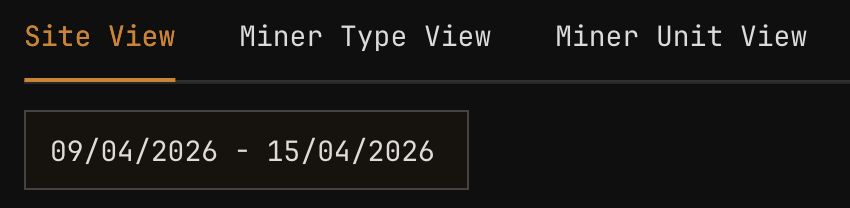
Site View shows total power consumption aggregated across your entire operation.
| Element | Description |
|---|---|
| Power consumption line | Total power draw in kW |
| Capacity threshold | Site power limit (if configured) |
| Peak indicators | Markers for consumption peaks |
Monitor power consumption against your site capacity and power purchase agreements. Sustained operation near capacity limits may require load management.
Site power summary
| Metric | Description |
|---|---|
| Average consumption | Mean power draw over period |
| Peak consumption | Maximum power recorded |
| Minimum consumption | Lowest power recorded |
| Capacity utilization | Average as percentage of site capacity |
Miner type view
Miner Type View breaks down power consumption by miner model, showing which models consume the most energy.

| Element | Description |
|---|---|
| Stacked area chart | Power consumption by miner model |
| Legend | Color-coded miner types |
| Percentage breakdown | Each model's share of total consumption |
Power mode by miner type table
This table shows the distribution of power modes across your fleet:
| Column | Description |
|---|---|
| Miner Type | Model name |
| Count | Total miners of this type |
| Normal Mode | Miners in standard operation |
| Low Power | Miners in reduced power mode |
| High Power | Miners in performance mode |
| Sleep | Miners in sleep/standby mode |
| Avg Power | Average power per miner |
Power mode distribution affects both consumption and hashrate. See Explorer: Power Mode Support Table for model-specific mode availability.
Mining unit view
Mining Unit View provides location-based power analysis, essential for capacity planning and load balancing.

| Element | Description |
|---|---|
| Multi-line chart | Power consumption per mining unit |
| Unit comparison | Side-by-side power usage |
| Capacity indicators | Per-unit power limits |
Mining unit power summary
| Column | Description |
|---|---|
| Mining Unit | Container or unit identifier |
| Miner Count | Number of miners in unit |
| Total Power | Combined power consumption |
| Avg per Miner | Average power per miner |
| Capacity % | Utilization of unit power capacity |
| PDU Load | Power distribution unit utilization |
Power optimization analysis
Use the Energy report to identify optimization opportunities:
| Pattern | Indication | Action |
|---|---|---|
| High consumption, normal hashrate | Efficiency issues | Review Efficiency report |
| Power spikes | Cooling system cycling, load changes | Correlate with Heatmaps |
| Uneven unit distribution | Load imbalance | Consider miner redistribution |
| High sleep mode count | Underutilization | Review deployment strategy |
| Consistent high power mode | Revenue optimization | Verify cooling capacity |
Power cost estimation
While MiningOS does not track electricity costs directly, you can estimate costs using exported data:
| Step | Action |
|---|---|
| 1 | Export average consumption (kW) for desired period |
| 2 | Multiply by hours in period to get kWh |
| 3 | Apply your electricity rate ($/kWh) |
| 4 | Factor in demand charges if applicable |
Power consumption data reflects miner power draw. Actual facility consumption includes cooling, infrastructure, and losses. Consult your facility power meters for billing accuracy.
Controls
View mode selector
| View | Aggregation | Best for |
|---|---|---|
| Site View | Entire site | Total consumption tracking |
| Miner Type View | By model | Model power comparison |
| Mining Unit View | By container | Load balancing, capacity planning |
Date range selector
| Preset | Period | Use case |
|---|---|---|
| Last 24h | 24 hours | Recent consumption |
| Last 7d | 7 days | Weekly patterns |
| Last 30d | 30 days | Monthly billing period |
| Custom | User-defined | Specific analysis |
Export options
| Format | Contents |
|---|---|
| CSV | Time-series power data |
| Charts with summary statistics |
Related documentation
Operations reports
- Operations Dashboard: Unified metrics view
- Hashrate: Computing power analysis
- Efficiency: W/TH performance
- Miners: Fleet composition
Real-time monitoring
- Header: Live power display
- Widgets Page: Container power monitoring
- Dashboard: Real-time power chart
Operations
- Explorer: Power mode controls
- Operational Best Practices: Power management guidance
- Container Examples: Container-specific power monitoring